Best ADHD Apps for Adults in 2026

Vojtech Rinik
Founder of Whisper Memos

I have ADHD. And if you're reading this, you probably do too-or you're pretty sure you do.
You know what it's like: You have a brilliant idea in the shower, and it's gone before you even grab the towel. You sit down to work, and three hours later you've reorganized your bookshelf and learned about the history of paper clips, but haven't touched the thing you were supposed to do. You make a mental note to call someone back, and that mental note disappears into the void.
I've tried dozens of apps over the years. Most didn't stick. But a few have become essential to how I function. These are apps I actually use-not apps I think sound cool, but tools that help me get through my day without losing my mind.
This isn't a generic listicle. I'm going to show you exactly how I use each app, with my actual setups and workflows.
1. Whisper Memos - $5.83/month
I built this app, so I'm obviously biased. But I built it because I needed it. The problem it solves is simple: I have thoughts constantly, and if I don't capture them immediately, they're gone.
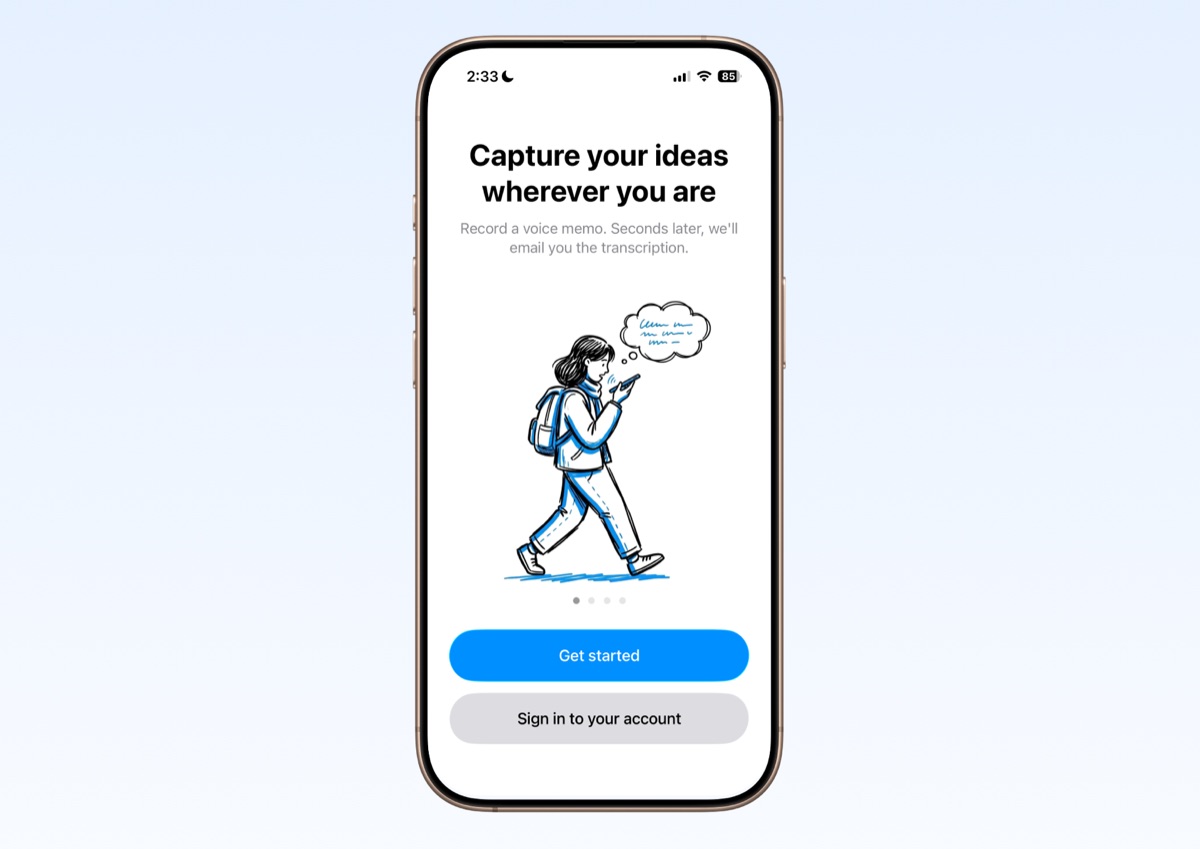
Whisper Memos is a voice recorder that transcribes and sends everything to your email. It works on iPhone and Apple Watch-no need to pull out your phone, just tap your wrist and start talking.
How I use it:
Brain dumps. When my head is full of stuff-tasks, worries, half-formed ideas-I just talk it out. The app transcribes everything, and I can copy that into ChatGPT to help me make sense of it, prioritize, or turn it into action items.
Bedtime worries. This one is huge. You know that thing where you're about to fall asleep and suddenly remember something important? I used to lie there trying not to forget it. Now I just grab my phone, record a quick memo, and go back to sleep. It shows up in my inbox the next morning, and I can deal with it then. The peace of mind this gives me is hard to overstate.
The key is that it goes to email. I check my email. I don't check random apps. If something important lives in some app I have to remember to open, I'll forget about it. Email is my external brain, and Whisper Memos feeds directly into it.
2. Focusmate - $84/year
This is the only way I can actually sit at my computer for three hours straight.
Focusmate is virtual body doubling. You book a 50-minute session, and you're paired with a random person over video. At the start, you each say what you're going to work on. Then you work-cameras on, muted. At the end, you check in on how it went.
It sounds weird. Why would having a stranger watch me work help? But if you have ADHD, you probably already know. Body doubling works. There's something about having another person present that makes it so much easier to start tasks and stay on them.
The power of routine:
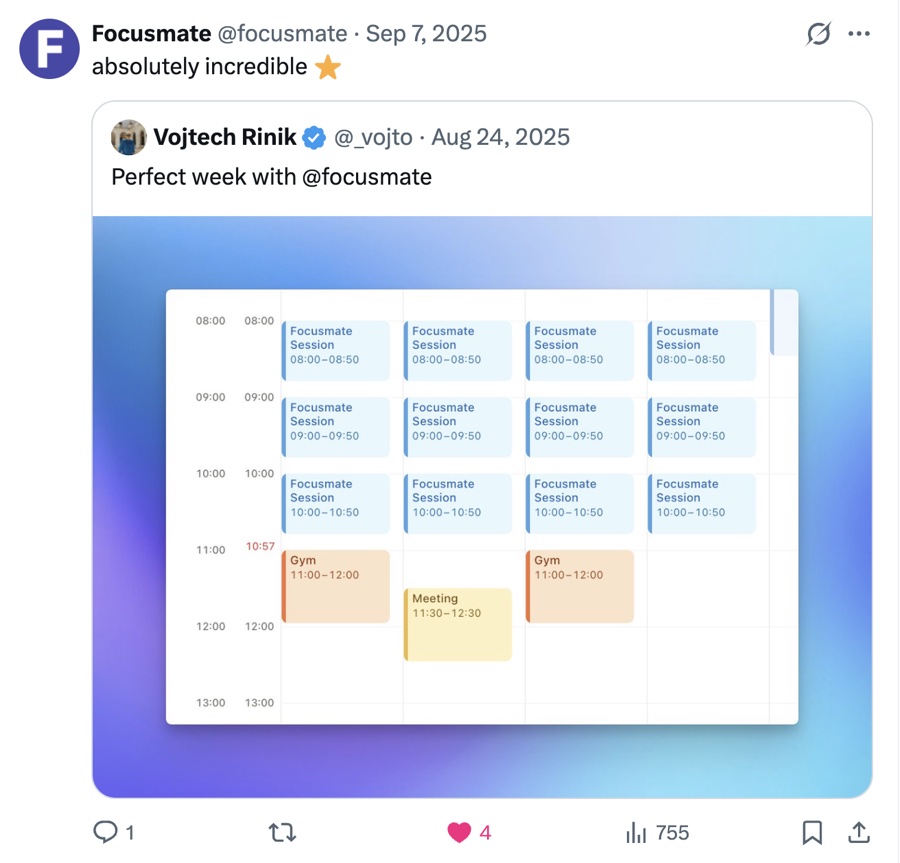
The screenshot above is what my perfect week looks like. Same schedule, every day. Morning sessions stacked back to back-that's when I get my real work done. If you have ADHD, you know how valuable routine is. When the structure is external and consistent, you don't have to think about when to work. You just show up at the same time, and the work happens.
The secret feature:
You can add people to your favorites. Over time, you start seeing the same faces. You become friends. It's like having a virtual office. I have a handful of regulars I see every week now, and honestly, it's one of the most supportive communities I've found.
Breaks matter:
Between sessions, I don't look at the screen-that's important. I get up and do something physical: dishes, making coffee, tidying up a bit. This resets my brain for the next session and keeps me from falling into the "just one more video" trap.
Focusmate has a free tier with 3 sessions per week. That's enough to try it and see if it clicks for you.
3. Linear - Free (or $96/year)
Linear is a project management tool. It's not marketed as an ADHD app at all-it's meant for software teams tracking issues. But the way I use it has become essential to managing my life.
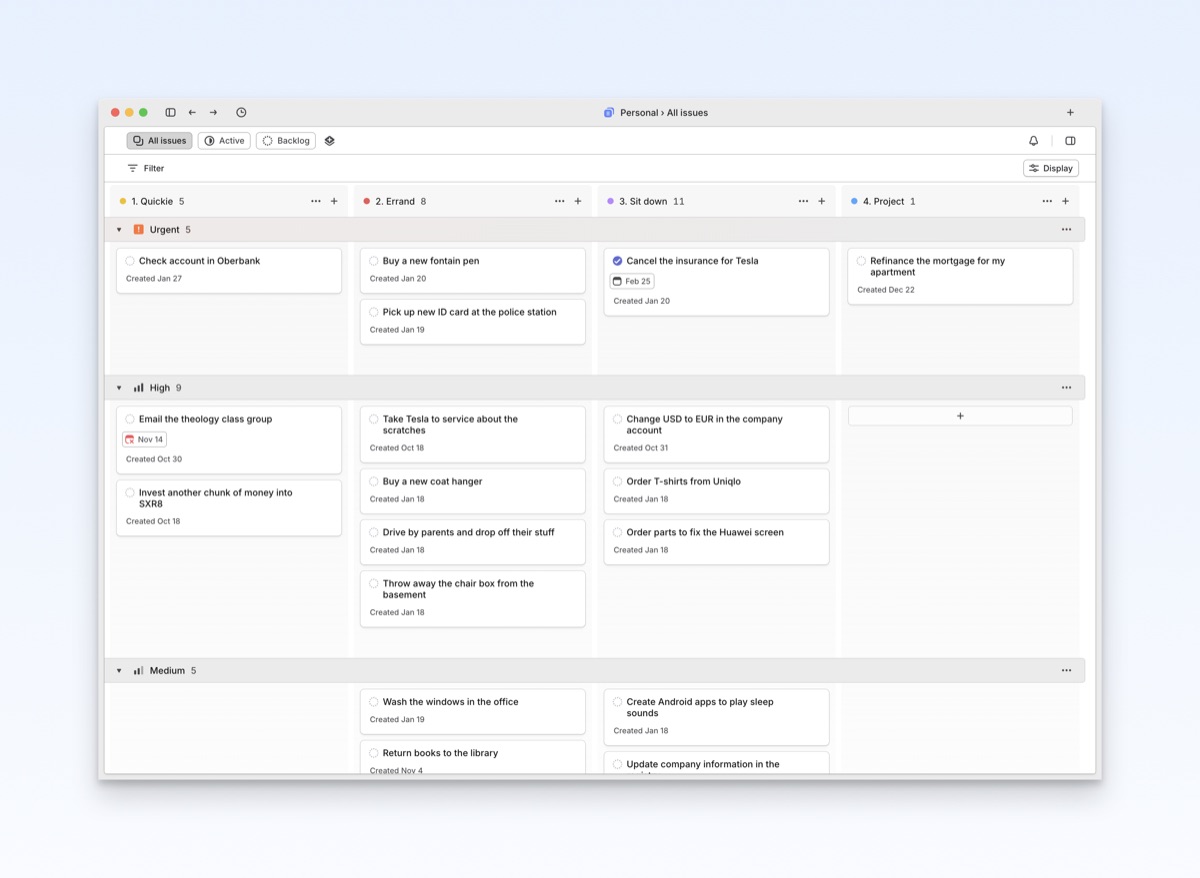
I set up what's called a "swim lanes" layout. The rows are priorities (urgent, high, medium, low). The columns are task types that I defined myself:
- Quickie - Something I can do in under 5 minutes
- Errand - Requires leaving the house or doing something physical
- Sit Down - Needs focused computer time
- Project - Bigger effort, multiple sessions
This layout helps me make sense of everything in my head. I can glance at it and immediately see: what's important, and what kind of energy it requires. If I'm feeling restless and can't focus, I'll knock out some errands. If I'm in the zone, I'll grab a "sit down" task.
Linear has a free tier that's quite generous. I use the paid version because I use it for work too, but for personal task management, free works fine.
4. Freedom - $40/year
Freedom blocks websites and apps across all your devices. There are a lot of blockers out there, but Freedom is the one that stuck for me because it syncs everywhere and is hard to get around.
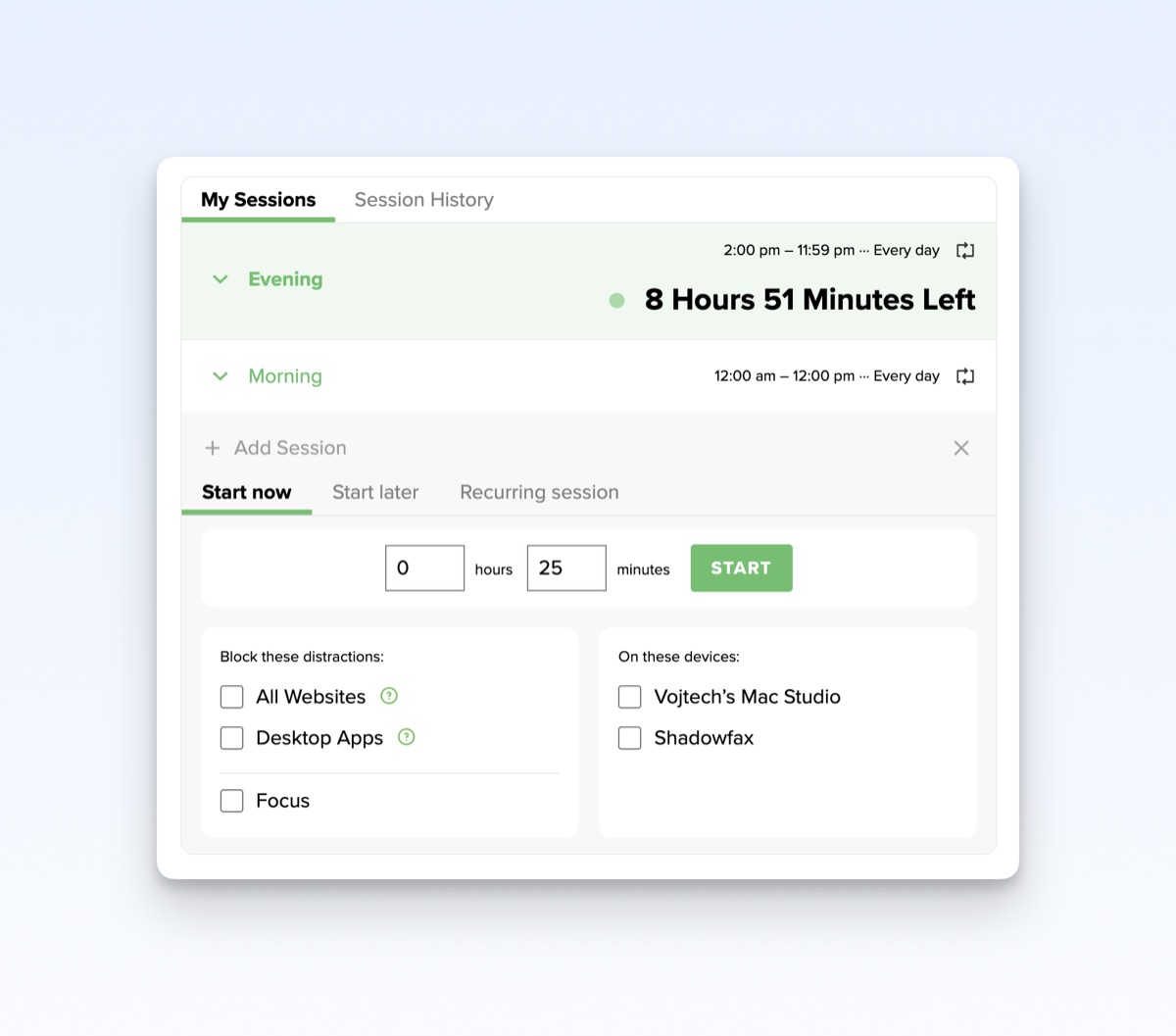
My setup:
I have all social media blocked all day, except between noon and 2pm. That's my lunch break window. I can scroll Twitter, check Reddit, whatever-but only during those two hours. The rest of the day, those sites simply don't load.
I know-two hours sounds harsh. And honestly, I don't run this schedule all the time. But when I'm behind on things and really need to focus, this is what I turn on.
A gentler starting point:
If this sounds too extreme, try just blocking the mornings. Set your blocks to start at 8am and end at noon. This way you can't go on social media first thing-you have to actually start your day productively. You can still check everything at lunch. This alone can completely change the rhythm of your day.
5. Bonus: iPhone Screen Time (Free)
This isn't an app-it's built into iOS. But it's my nuclear option when things are really bad.
I use Screen Time to disable the App Store and Safari entirely. When this is on, my phone becomes almost useless for distraction. I can't browse random websites. I can't download new apps. All the interesting stuff is gone.
This forces all my work to happen on my computer, where I have more control (thanks to Freedom and Focusmate). The phone becomes just a phone-calls, texts, maybe music. That's it.
I don't use this setup all the time. But when I'm behind on work, when I keep catching myself mindlessly picking up my phone, when I can feel that fidgety urge to just check something-that's when I turn this on. It works.
Finding What Works for You
These are the tools that work for me. Your brain is different, so your stack might be too.
The common thread in everything I use: they work with my ADHD, not against it. They don't rely on willpower. They don't assume I'll remember to check them. They either remove friction (Whisper Memos, Linear) or add friction where I need it (Freedom, Screen Time). And Focusmate gives me the external accountability that my brain seems to require.
If any of these sound like they might help, try them. Most have free tiers. And if you find something that works even better, I'd genuinely love to hear about it-I'm always looking for new tools to add to the stack.