
AL
Alan emails your team
Create agent named Alan, and configure it to automatically email your entire team.
Start your memo with agent's name, such as "Hello, Emily..." and it'll be routed to the correct destination. Send to custom e-mails, productivity apps, or to Zapier integrations.
workflows
Create separate agent for each workflow. Each agent gets a name and a color, and a set of steps executed when you use their name at the start of a memo.
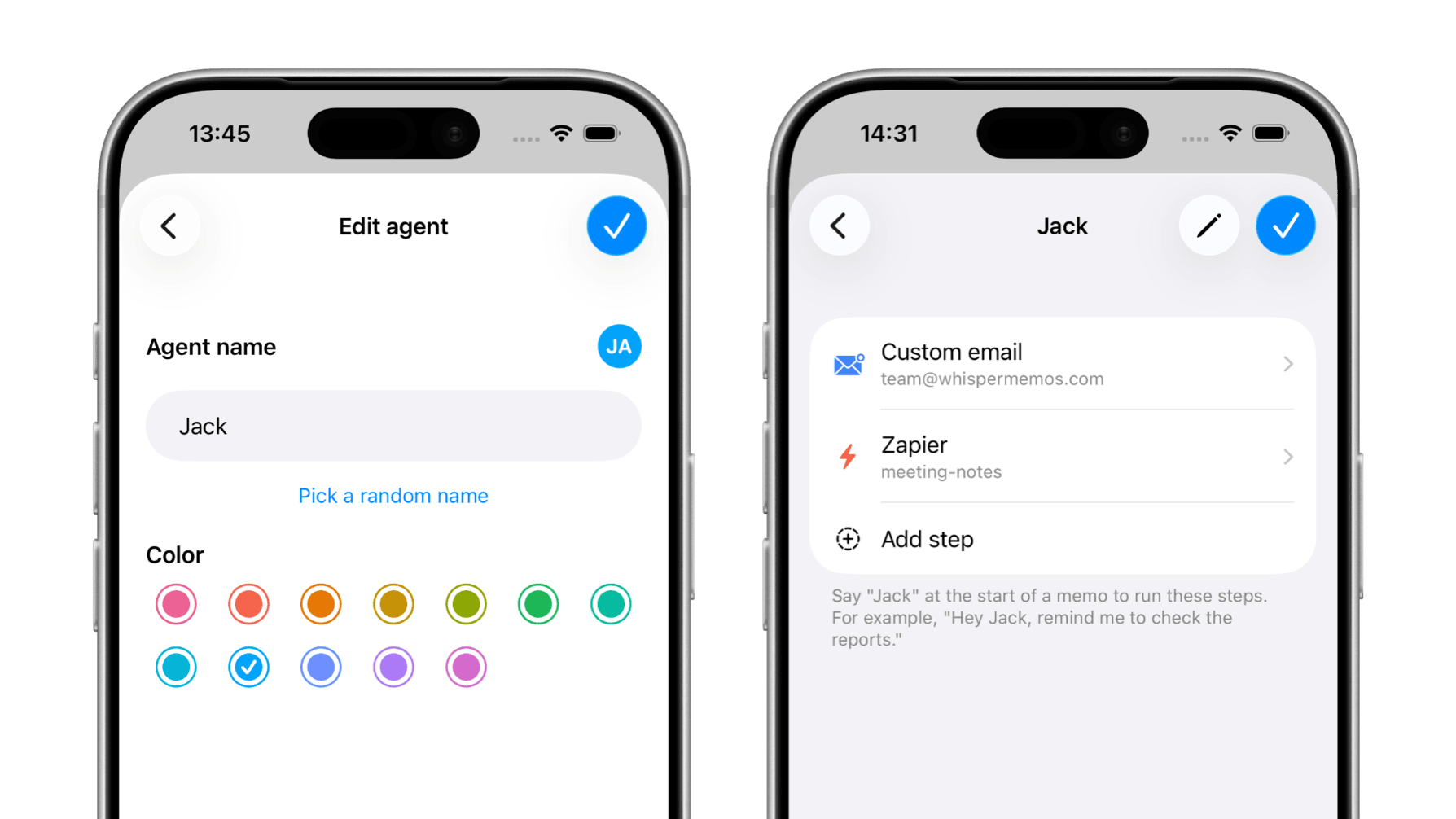
In this example, agent Jack sends memo to custom emails and saves to Notion through Zapier.
use cases
Create separate agent for each workflow. Each agent gets a name and a color, and a set of steps executed when you use their name at the start of a memo.
Create agent named Alan, and configure it to automatically email your entire team.
Integrate your agent with a todo app, such as Things 3, and use it to create todos.
Your agent can be connected to a journaling app, such as Day One.
steps
Agents can mix built-in delivery, reminders, and integrations. These are the real step types available in Whisper Memos today.
Run a summary first using the default summary or one of your custom summaries before the memo is delivered anywhere else.
Send the memo to the same default inbox you already use for regular Whisper Memos delivery.
Route to any email address, including Things Mail Drop, Day One, or a shared team inbox.
Apply one of your memo labels automatically so the memo is organized as soon as the agent runs.
Pin the memo as a persistent lock screen reminder so it stays visible until you dismiss it.
Trigger one of your Zapier integrations and fan the memo out into thousands of apps.
Save the memo directly to Reflect notes using the built-in Reflect integration.
Hand the memo to Cursor as a coding task for your AI agent.
get started
Whisper Memos is free to try and costs just $5.83/month with annual billing. Get it in the App Store, and start writing by talking!