AI Models
Whisper Memos lets you choose which AI model transcribes your recordings. Some models are faster, some are more accurate, and some support more languages. If you are not sure, leave it on Automatic and Whisper Memos picks a model for each recording.
You can switch models anytime in Settings → AI Model.
Available Models
Section titled “Available Models”Automatic
Section titled “Automatic”The default for all users. Automatic selects the best transcription model for each recording based on its language, accent, length, and audio characteristics. If you haven’t changed your settings, this is what you’re using.
- Languages: 99+ with automatic detection
- Plan: All plans
Gemini 3.5 Transcribe
Section titled “Gemini 3.5 Transcribe”Gemini 3.5 Transcribe is Google’s latest speech recognition model. It is a strong all-rounder: accurate on everyday recordings, comfortable with mixed languages, and fast.
- Languages: Automatic language detection
- Length: Recordings up to one hour, or 30 minutes in Meeting mode
- Meeting mode: Supported
- Plan: All plans
Recordings longer than an hour fall back to other models automatically. See Meeting mode for how meetings are routed.
OpenAI Whisper
Section titled “OpenAI Whisper”OpenAI Whisper is a reliable all-rounder that balances accuracy and speed, and works well for most recordings.
- Languages: 99+ with automatic detection
- Plan: All plans
Microsoft MAI Transcribe 2
Section titled “Microsoft MAI Transcribe 2”Microsoft MAI Transcribe 2 is exceptionally fast. In our tests, it transcribed 90 minutes of audio in under 10 seconds.
- Languages: 60, with automatic language detection
- Custom words: Supported
- Meeting mode: Supported (very long meetings may use another model)
- Plan: All plans
MAI Transcribe 2 is only used when you select it.
Cohere Transcribe
Section titled “Cohere Transcribe”Cohere Transcribe is one of the most accurate transcription models available, topping the Open ASR Leaderboard for its supported languages.
- Languages: 14: English, German, French, Italian, Spanish, Portuguese, Greek, Dutch, Polish, Arabic, Vietnamese, Chinese, Japanese, Korean
- Plan: All plans
Because Cohere doesn’t auto-detect language, Whisper Memos runs a quick language check on your recording first. If the language is supported, it proceeds with Cohere. Otherwise, it falls back to another model automatically.
ElevenLabs Scribe
Section titled “ElevenLabs Scribe”ElevenLabs Scribe prioritizes accuracy across a very wide range of languages, including less common ones, but may take a little longer. It is also the most dependable option for separating speakers in Meeting mode.
- Languages: 99 with automatic detection
- Meeting mode: Supported
- Plan: All subscribers
Grok Speech to Text
Section titled “Grok Speech to Text”Grok Speech to Text is xAI’s transcription model. It works well across multiple languages.
- Languages: 25, including English, Spanish, French, German, Italian, Portuguese, Dutch, Polish, Czech, Russian, Arabic, Hindi, Japanese, Korean, and Vietnamese
- Plan: All plans
Like Cohere, Grok runs a quick language check first and falls back to another model if your recording’s language isn’t supported.
Comparison
Section titled “Comparison”| Model | Strength | Languages | Meeting mode | Plan |
|---|---|---|---|---|
| Automatic | Picks for you | 99+ | Yes | All plans |
| Gemini 3.5 Transcribe | All-rounder, mixed languages | Auto-detected | Up to 30 min | All plans |
| OpenAI Whisper | Balanced | 99+ | Uses another model | All plans |
| Microsoft MAI Transcribe 2 | Fastest | 60 | Yes | All plans |
| Cohere Transcribe | Highest accuracy | 14 | Uses another model | All plans |
| ElevenLabs Scribe | Broad languages, speakers | 99 | Yes | All subscribers |
| Grok Speech to Text | Multilingual | 25 | Uses another model | All plans |
Models in Meeting mode
Section titled “Models in Meeting mode”Meeting mode needs a model that can separate speakers:
- Automatic and models without speaker separation use ElevenLabs Scribe
- Gemini 3.5 Transcribe handles meetings up to 30 minutes. Longer meetings, and meetings with custom words, use ElevenLabs Scribe
- Microsoft MAI Transcribe 2 handles meetings directly. Very long meetings may use ElevenLabs Scribe instead
How to Switch Models
Section titled “How to Switch Models”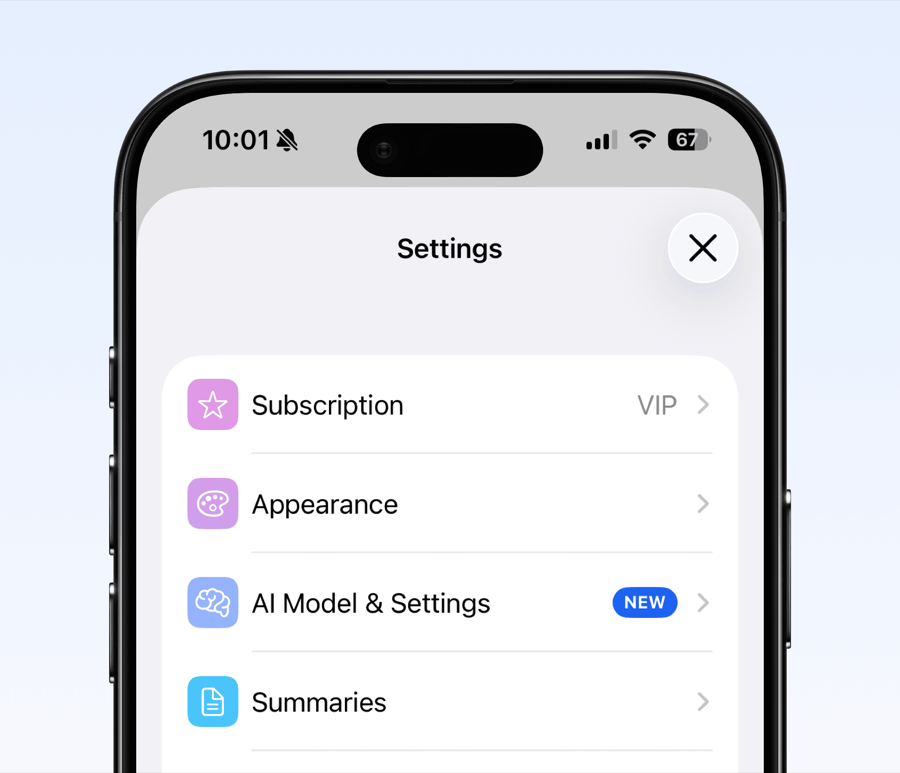
- Open Settings in Whisper Memos
- Tap AI Model
- Select the model you want to use. A short description of the selected model appears below the list
- Tap the checkmark to confirm
Switching models doesn’t affect your existing memos. Only new recordings use the selected model.
- Start with Automatic: It works well for most people and most languages
- Try Gemini for mixed languages: It handles recordings that switch between languages
- Try MAI Transcribe 2 for speed: Long recordings come back almost instantly
- Try Cohere for supported languages: If you record in one of Cohere’s 14 languages, it’s worth trying for the accuracy improvement
- Use ElevenLabs for rare languages: If your language isn’t well served by the other models, Scribe’s broad language support may help
- Fallbacks are automatic: If your chosen model can’t process a recording for any reason, Whisper Memos automatically tries the next best option