Custom Summaries
Every memo in Whisper Memos gets an AI-generated summary by default. But what if you want your memos summarized in different ways? Maybe a bullet list for quick review, detailed meeting notes for your team, or action items extracted separately?
With Custom Summaries, you can create as many summary formats as you need, each with its own AI prompt.
Custom summaries are not limited to the memo screen. You can also use them inside an agent’s Summary step when you want a memo reformatted before it gets delivered somewhere else.
Creating a Custom Summary
Section titled “Creating a Custom Summary”- Open Settings in Whisper Memos
- Tap Summaries
- Tap Add Summary to create a new one
- Give it a name (this appears as a tab label)
- Write your AI prompt or choose a template
- Save and you’re done
Your new summary will be generated for all future memos, and you can regenerate it for existing ones.
Writing Prompts
Section titled “Writing Prompts”The prompt tells the AI how to format your summary. Be specific about what you want - the AI will follow your instructions closely.
Here are some ideas:
Quick bullets
Summarize this in 3-5 bullet points. Be concise.
Meeting notes
Format this as meeting notes with sections for: Attendees (if mentioned), Discussion Points, Decisions Made, and Next Steps.
Action items only
Extract only the action items and to-dos from this recording. List each one on its own line starting with a checkbox.
Key takeaways
What are the 3 most important things from this recording? Explain each briefly.
Journal entry
Rewrite this as a reflective journal entry in first person.
Experiment with different prompts to find what works best for your workflow.
Built-in Templates
Section titled “Built-in Templates”Whisper Memos includes templates to get you started:
- To-Do List - Extracts action items and tasks from your recording
- Top of Mind - Splits your recording into distinct topics with brief summaries for each
You can use these as-is or modify them to better fit your needs.
Viewing Summaries
Section titled “Viewing Summaries”When you open a memo, each custom summary appears as a separate tab at the top. Swipe left and right to switch between them.
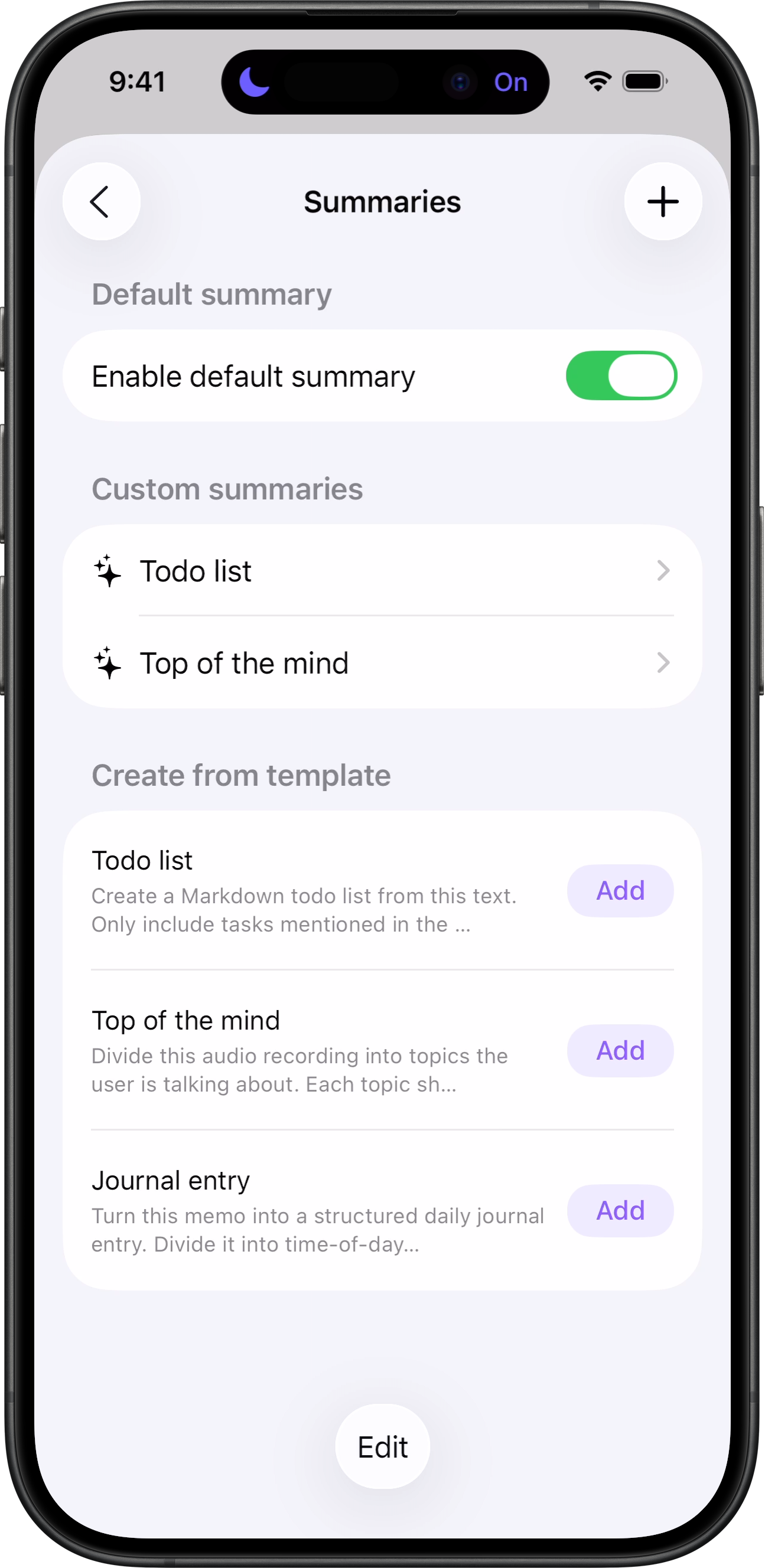
The default summary is always available, plus any custom summaries you’ve created.
Using Custom Summaries with Agents
Section titled “Using Custom Summaries with Agents”Custom summaries also appear inside the agent editor.
- Open Settings
- Tap Agents
- Create a new agent or edit an existing one
- Add a Summary step
- Choose either Default summary or one of your enabled custom summaries
- Add delivery steps like Custom Email, Reflect, Cursor, or Zapier
This is useful when the destination expects something cleaner than the raw transcript.
- Turn a spoken brain dump into a to-do list before emailing it to Things
- Turn a long reflection into a cleaner journal entry before sending it to Day One
- Turn a meeting recap into a brief before routing it to your team
- Keep prompts focused: Summaries that try to do too much end up doing nothing well
- Test with long recordings: Some prompts work great for short memos but fall apart with longer content
- Use for different contexts: Create one summary for personal review and another formatted for sharing with colleagues
- Reuse them in agents: A strong custom summary prompt often works even better when paired with an agent workflow